Once a file leaves the studio, you lose track of it
A PDF attached to an email can be forwarded, downloaded and posted, and nothing on it says who let it out. A Secure Room keeps the file with you, puts a name on every page, and shows you who opened what.
How it works
Create a room in your project, add documents, video, audio or builds, and invite people by email. Here's what a recipient goes through before they see a single page.
- 01
Invite by email
Each person gets their own invitation link. Forwarding it doesn't let anyone else in.
- 02
Enter the emailed code
Opening the link sends a 6-digit code to the invited address. Only someone who can read that inbox gets in.
- 03
Accept your NDA
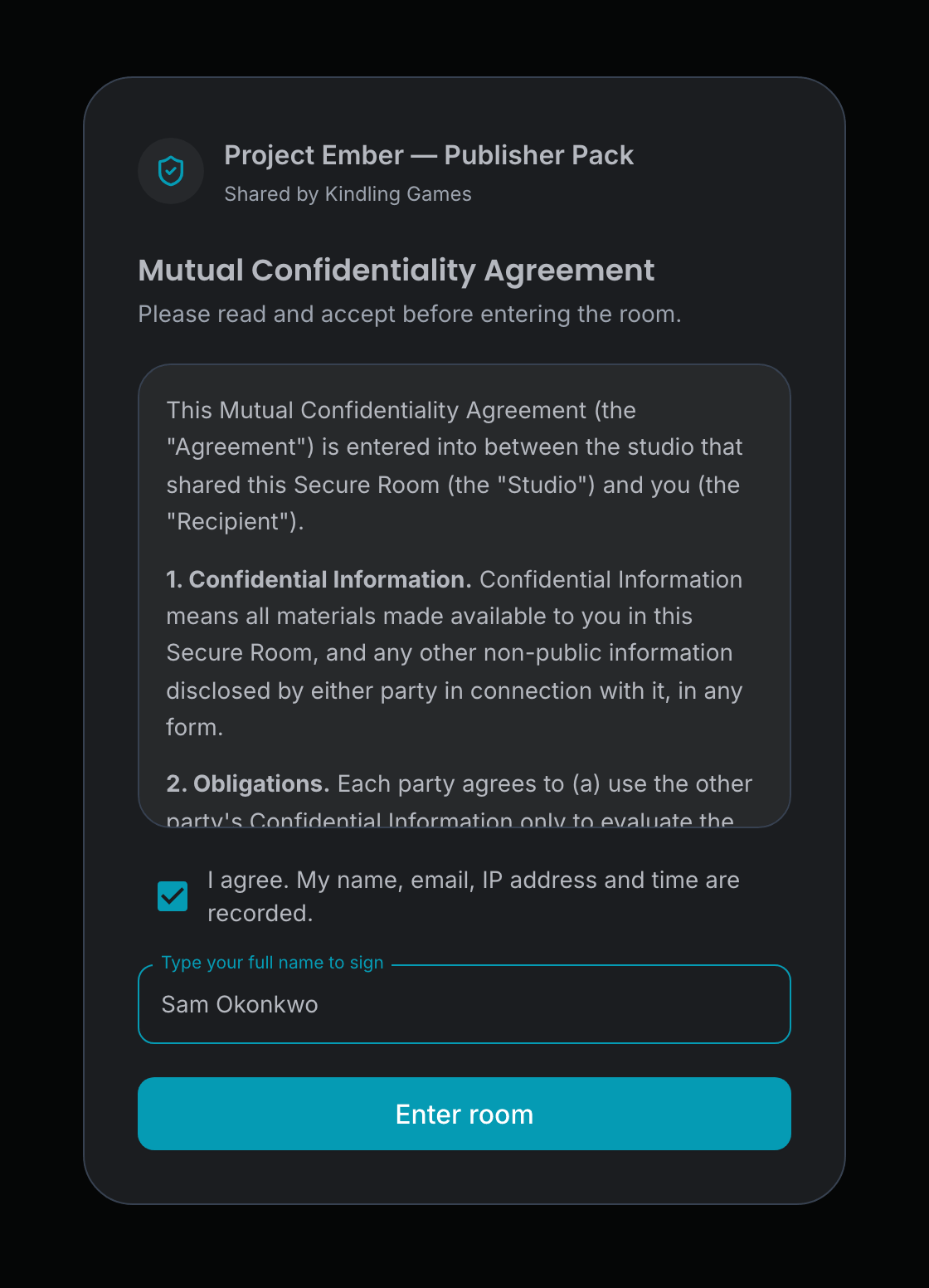
If the room asks for one, and new rooms do by default, they read your agreement and type their full name to sign. Their name, email, IP address and the time are recorded.
- 04
View, never download
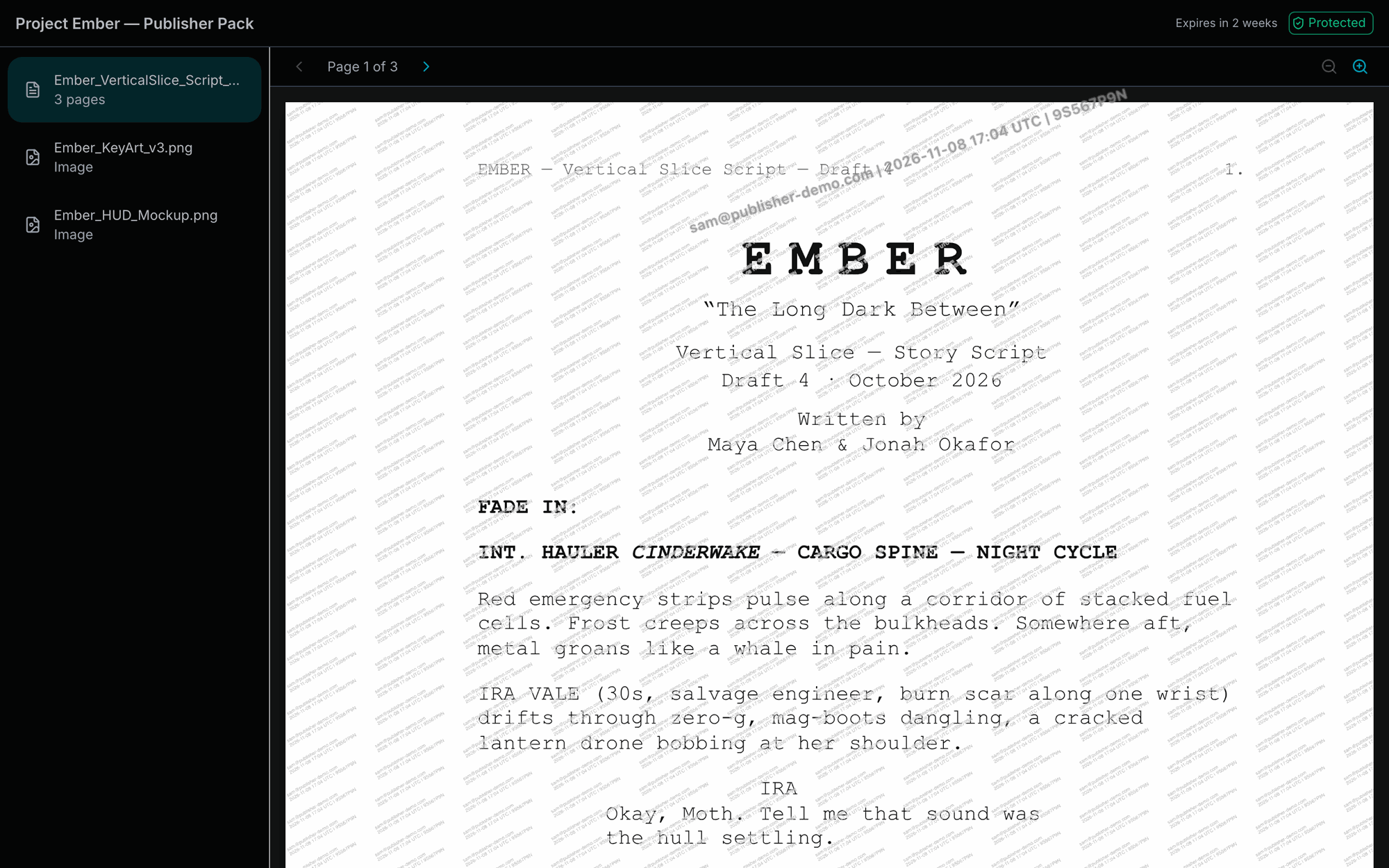
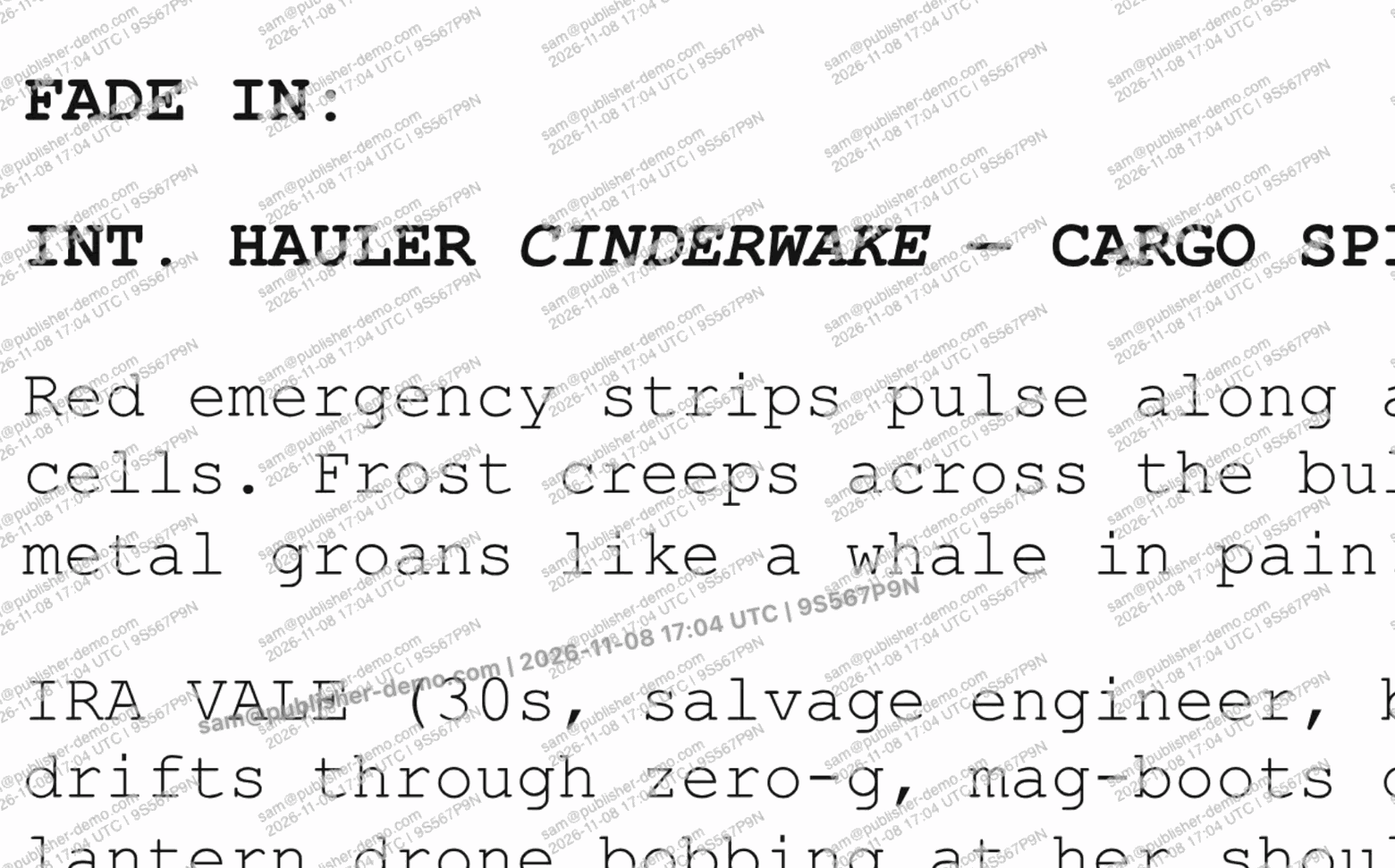
Files open in the browser, with the viewer's email, the time and a session code stamped on every page and over every video.
Only the people you named get in
A link on its own opens nothing. Every visit is tied to an invited address and a watermark that names the viewer, and to an accepted agreement when the room requires one.
A personal invitation
Invite up to 100 people at once. Each invitation belongs to one address, and resending it replaces the old link.
An NDA on record
Use the SpeedrunCI standard NDA or write your own. Each acceptance keeps the typed name, email, IP address, country and a fingerprint of the exact text that was agreed to.
When the agreement changes, recipients accept the new version the next time they open the room. Their earlier acceptance is kept.
Rules for each room
Choose when the room expires, how many files each person can open, and which countries it can be opened from.
The original never leaves
Add PDFs, Office files, scripts, images, video and audio. Recipients see pages and an encrypted stream prepared for their session, never the file you uploaded.
Video, audio and playable builds
Share more than documents. Recipients watch your footage, listen to your audio and try your build in their browser.
Video with their name on it
Upload gameplay captures and trailers up to 4 hours long. They play in the browser with the viewer's email stamped over the picture, and the stamp stays on screen in full screen.
Audio and scripts
Share voice takes and music as audio, and Fountain or Final Draft screenplays as pages, each logged in the activity feed.
Cloud Play in the browser
Let recipients play a build without downloading it. You can cap the play time for each room, and locking the room ends the session.
Tagged downloads
Let recipients download a copy of a build tagged with their identity. The tag can be deleted, so it deters and traces honest mishandling rather than a determined leaker.
See who opened what, and when
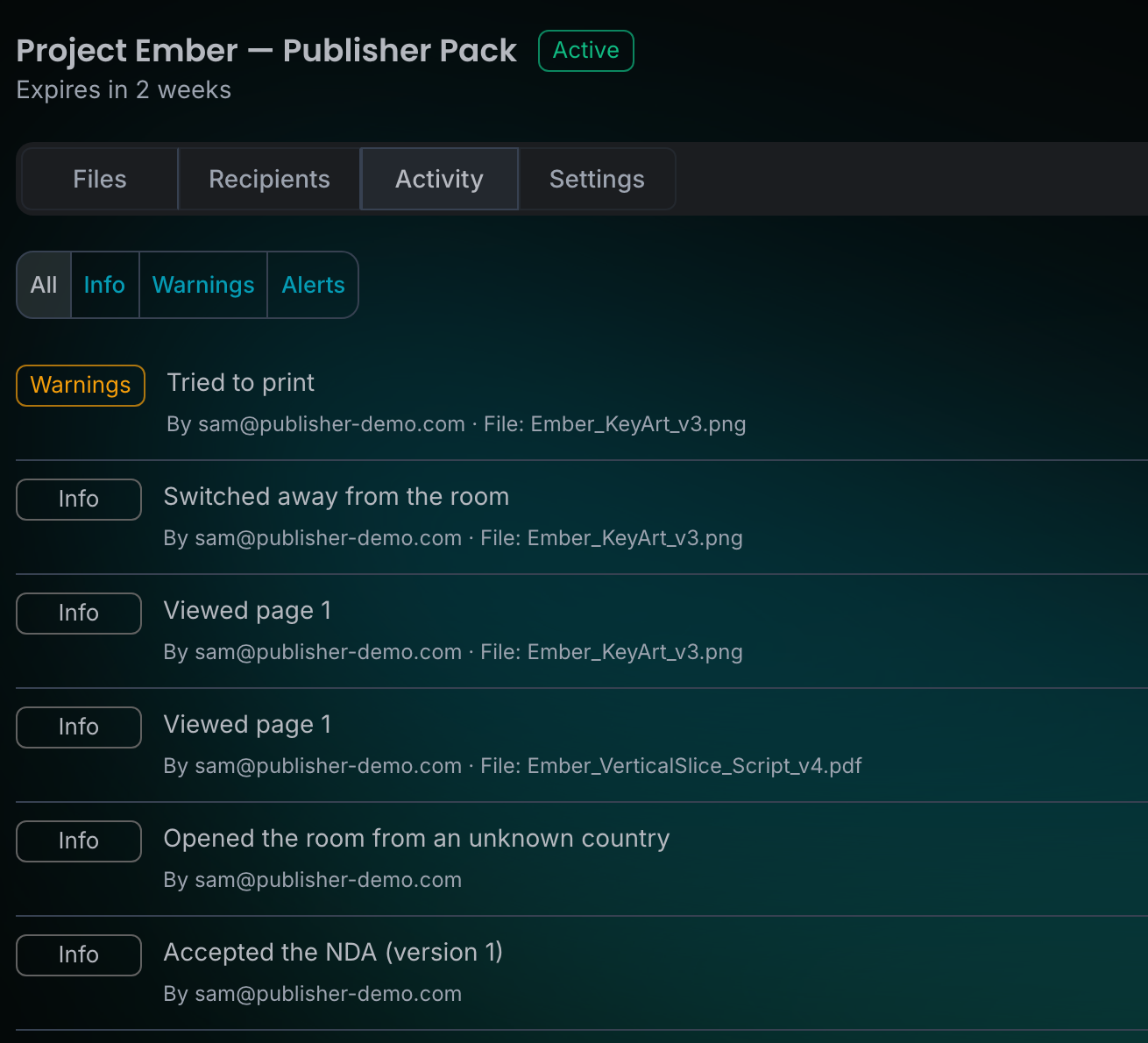
Every visit shows up in the room's activity feed: the NDA acceptance, the pages read, the country it was opened from, and anything that looks wrong.
Every page view
See which pages each person read, and when. Filter the feed down to warnings or alerts.
Alerts by email
A visit from a new country, repeated wrong codes, automated access, unusually fast page or video downloads, or the same video replayed again and again sends an alert email to the people you choose.
Attempts are recorded
Print attempts, screenshot keys, the right-click menu and switching away from the room all appear in the feed.
Rooms that need a look
The rooms list shows each room's status, expiry and last activity, with a badge on rooms that had alerts in the last 7 days.
Cut off access in seconds
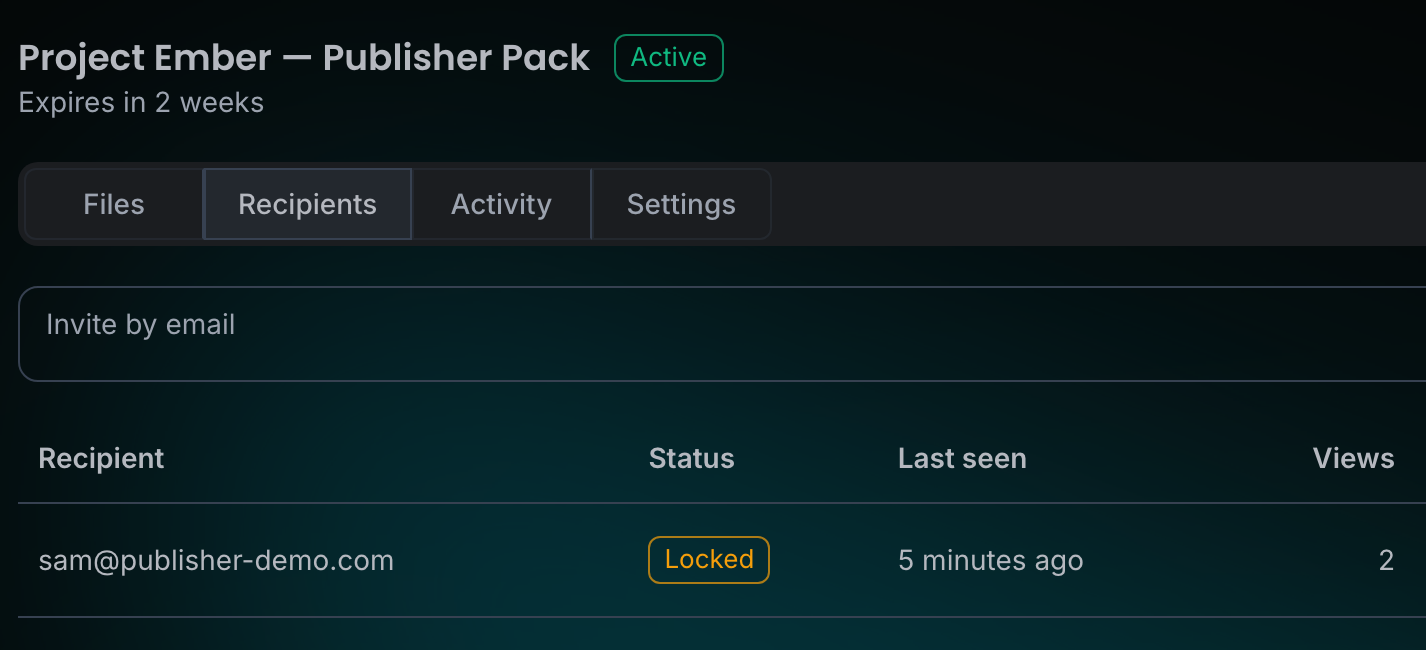
If a link may have leaked, lock one person or the whole room. Pages, video and audio stop loading straight away, builds being played are ended, and the viewer's screen changes to Access paused within seconds, without a reload.
Lock one person
End one recipient's session and stop their link. Everyone else keeps reading.
Lock the whole room
Disconnect everyone at once. The room stays closed until you unlock it.
Rooms close on their date
Every room has an expiry date. Extend it when you need more time, or archive it when you're done.
Lock it from anywhere
Lock a room from the web app, the Unreal Editor plugin, the Speedrun desktop app or your AI assistant.
What a room can and can't do
A Secure Room makes leaking hard and traceable. It can't stop someone from photographing their screen. That's what the watermark is for: a photo of a page or a frame of video still carries the viewer's email, the time and a session code.
What it blocks
People you didn't invite, downloads of the original documents and video, the print shortcut, and visits from countries you've ruled out.
What it traces
A leaked photo, screenshot or screen recording shows whose session it came from. Find that session in the activity feed and lock the person. A downloaded build carries a stamp that names the recipient.
What it discourages
The room blurs when its window loses focus, and logs screenshot keys and suspected developer tools. A determined person can get around these, and the attempt shows up in your feed. A video's watermark is an overlay that a skilled person could crop out of a recording, and a build's stamp is a file that can be deleted, so it deters and traces honest mishandling rather than a determined leaker.
The watermark is on by default
Every new room stamps each page and video with the viewer's details, and it stays on screen in full screen. Turn it off for a room only if you don't need to trace leaks: its pages and videos then carry no mark at all.
Unique script copies
Give each recipient of a screenplay a copy with a few subtle wording changes, so a retyped leak can point to the copy it came from. Characters, dialogue meaning and scene headings never change. English Fountain and Final Draft scripts only.
Trace a leak back to a session
Upload the leaked file and SpeedrunCI reads the marks it placed in what your recipients saw. You get the people whose sessions match, with how sure it is. It is evidence for you to weigh, and nothing happens until you decide.
Leak check
Upload a leaked image, video, audio clip or a recipient stamp, or paste leaked script text. The result lists matching recipients, the file, the session, and the stated chance of a false match. A match is marked strong or possible.
Invisible marks
Dot patterns in documents and images survive screenshots, JPEG compression, downscaling and crops. Video and audio carry an A/B pattern, readable from about a minute of the clip. Phone photos are traced by the visible mark.
Evidence pack
A PDF for one recipient: the NDA acceptance, the access history, the leak check evidence and a digest you can verify. It states what it cannot prove.
What it can't tell you
A match shows which session a copy was served to, not who held the device. Recipients who compare and splice copies can blur the video pattern, and a deleted download stamp can't be read.
Files don't outlive the room
When a room ends, its files are deleted 30 days later. The record of who saw what stays.
Deleted 30 days after it ends
A room ends when it expires or you archive it. Until the deletion date, extend or unarchive it to keep the files.
Records kept for two years
Recipients, activity and NDA acceptances stay for two years after the files are deleted, so you can still answer who saw it and whether they signed.
Part of your plan's storage
Room files share your plan's storage with build artifacts. Deleting a file frees its space straight away.
On Standard and above
Secure Rooms are included on Standard and above, including Enterprise. Room and recipient limits grow with the plan.
Frequently Asked Questions
Anyone with an email address: publishers, co-developers, voice actors, press or platform holders. They don't need a SpeedrunCI account.
PDFs, Word, PowerPoint and Excel files, text and Markdown, Fountain and Final Draft scripts, PNG, JPEG and WebP images, MP4, MOV, MKV and WebM video, WAV, FLAC, MP3, OGG and M4A audio, and builds. Documents and images can be up to 128 MB a file; video and audio up to 50 GB, within your plan's file limit, and up to 4 hours long. Recipients read, watch and listen in their browser.
Only if you allow it, build by build. A tagged download is a copy that includes a stamp naming the recipient, so a leak can be traced to them. The stamp is a file that can be deleted, and nothing is stamped inside executables or pak files, so it deters and traces honest mishandling rather than a determined leaker. Or turn on Cloud Play and recipients play the build in their browser and download nothing.
Anyone can photograph their screen, and no web page can fully stop that. Every page carries the viewer's email, the time and a session code, so a leaked image points back to one person and one visit. Screenshot keys are also logged in the activity feed.
It can be, for English Fountain and Final Draft scripts. With unique script copies on, each recipient gets a copy with a few subtle wording changes, such as punctuation, contractions and spelling, that never alter a character name, the meaning of a line or a scene heading. If someone retypes the script and posts it, those changes can point to the copy it came from. It has limits: a paraphrase or summary carries none of them, a short quote may not be enough (around 450 words can match, and longer gives a stronger match), and recipients who compare copies can spot the differences. A match is a lead for you to follow up, never an automatic action. To check a text, paste it on the leak check page: SpeedrunCI compares its wording with the copies it served and names a recipient only when several changes match one copy and rule out the others.
SpeedrunCI can show which viewing session a leaked copy came from. A leak check reads the visible watermark and the invisible marks in documents, images, video and audio, and reports each match as strong or possible, with the chance of a false match. That is evidence with a stated confidence, not proof of who did it or why. Phone photos are traced by the visible mark only, recipients who collude can weaken the video pattern, and nothing happens automatically: a person reads the evidence and decides.
The person it was forwarded to can't get in. Opening the link sends the code to the invited address, not to whoever clicked it.
Page images, video and audio stop loading at once, any build being played is ended, and the viewer's screen changes to Access paused within about 10 seconds, without them reloading the page. Download links that weren't used yet stop working too.
Standard and above, including Enterprise. Standard includes 5 active rooms at a time and 25 new external recipients a month. Enterprise has no limit on either. Secure Rooms aren't part of Starter.
Invitations, sign-in codes and the room itself are available in English, Japanese, Simplified Chinese and Korean, and the SpeedrunCI standard NDA is shown in the recipient's language. Your own NDA, room name and message appear exactly as you wrote them.
Yes. Create rooms, invite people, add builds, read activity and lock access from your AI assistant. The Unreal Editor plugin can create rooms, share builds, movie renders and screenshots, and lock access, and the Speedrun desktop app watches rooms and locks them. NDA templates, removing recipients and uploading documents and video stay in the web app.